
Mobile gaming has become a popular form of entertainment for people of all ages. From casual puzzle games to competitive multiplayer adventures, smartphones now offer gaming experiences that were once limited to computers and consoles. However, a smooth gaming experience depends on more than just a powerful processor or a fast internet connection. Available storage space also plays an important role in how well games perform.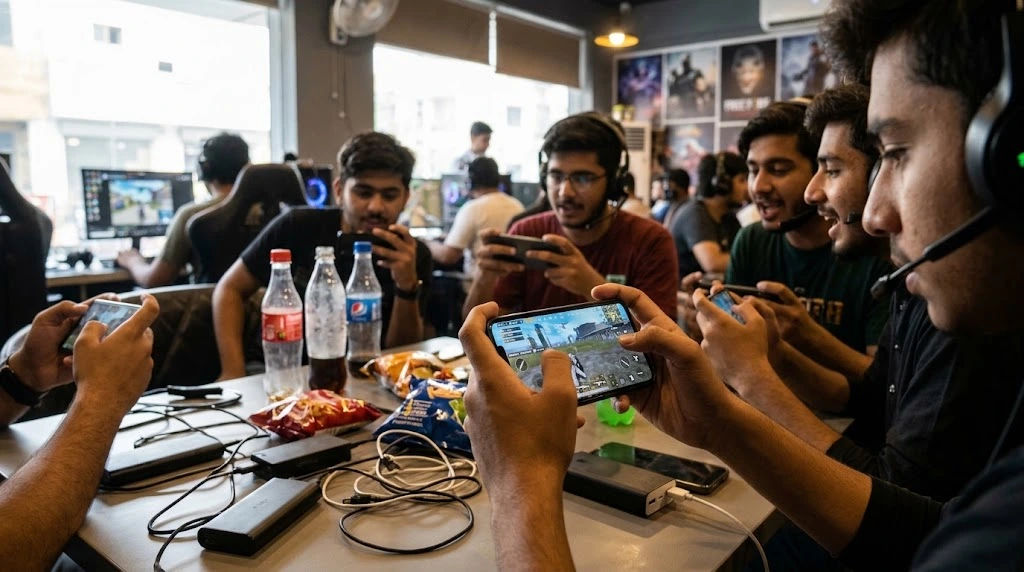
Many smartphone users notice that their games become slower, take longer to load, or suddenly freeze when their devices run out of storage. These problems can be frustrating, especially when playing games that require quick reactions and consistent performance. Understanding the connection between storage capacity and gaming performance can help users avoid unnecessary interruptions.
Mobile App Gaming requires several smartphone resources to operate efficiently, including memory, processing power, battery capacity, and storage space. Although storage does not directly determine every aspect of gaming speed, having very little free space can affect important background processes, updates, temporary files, and overall device performance.
The good news is that storage-related gaming problems are often manageable. By understanding why they happen and learning how to maintain sufficient free space, smartphone users can improve their gaming experience without immediately purchasing a new device.
The Relationship Between Storage and Gaming Performance
Storage is the space available on a smartphone for applications, photographs, videos, documents, downloaded files, and other data. Most modern smartphones use internal flash storage, which allows applications to save and access information.
Games depend on this storage to install their files, save progress, load resources, and download updates. Larger games may require several gigabytes of space because they contain detailed graphics, sound effects, maps, animations, and additional content.
When a smartphone has plenty of available storage, applications generally have enough room to manage their files and perform routine operations. However, when storage becomes almost completely full, certain activities can become more difficult.
For example, a game might struggle to download an update, save new progress, or create temporary files. Other applications running in the background may also experience problems.
This does not mean that every storage-related issue directly reduces gaming frame rates. The actual effect depends on the smartphone, operating system, game design, and amount of available storage.
How Low Storage Can Slow Mobile Games
Limited storage can affect several processes that contribute to a smooth gaming experience.
1. Slower Game Loading Times
Games often need to retrieve large amounts of information from internal storage before displaying their content.
This information may include character models, textures, sound effects, maps, and other resources.
When storage is nearly full, certain file-management activities may become less efficient. This can contribute to longer loading times, particularly on older devices or smartphones with slower storage hardware.
For example, a player opening a large adventure game might notice that the loading screen stays visible longer than usual.
Although the storage capacity itself is not the only factor, maintaining sufficient free space can help the device manage application files more comfortably.
2. Problems With Game Updates
Game developers regularly release updates to improve performance, introduce new features, fix bugs, and provide additional content.
These updates frequently require extra storage space.
Some games download temporary installation files before replacing or modifying existing resources. Consequently, the amount of free space needed during an update may be greater than the final size of the downloaded content.
When storage is insufficient, the update may fail or become stuck.
This can prevent players from accessing new features or joining multiplayer matches that require the latest game version.
Keeping additional storage available helps prevent these interruptions.
3. Freezing and Unexpected Crashes
Applications need storage space for different operations, including saving information, creating temporary files, and managing downloaded resources.
When a device is almost full, these activities may encounter errors.
A game might freeze while loading a new level, stop responding when saving progress, or close unexpectedly.
However, crashes can also result from insufficient RAM, software bugs, overheating, or compatibility problems.
Therefore, low storage should be considered one possible cause rather than the explanation for every gaming issue.
4. Reduced Overall Smartphone Responsiveness
Gaming performance is influenced by the condition of the entire smartphone.
When internal storage becomes heavily occupied, the operating system may have less flexibility for temporary data management, updates, and application operations.
Users might notice slower navigation, delayed application launches, or occasional interruptions when switching between different apps.
These problems can make gaming feel less responsive because the device is already struggling with other tasks.
Keeping storage organized can support better overall smartphone usability.
Why Modern Mobile Games Require More Storage
Modern smartphone games are becoming increasingly advanced.
Developers now create detailed environments, realistic character animations, high-quality sound effects, and large multiplayer maps.
These features require additional resources.
High-Quality Graphics and Textures
Games with detailed environments often include high-resolution textures and complex visual elements.
A racing game, for example, may contain multiple vehicle models, road environments, lighting effects, and background scenery.
These assets take up storage space because they must be installed or downloaded before players can use them.
Large Game Worlds
Open-world games frequently include extensive maps, buildings, characters, missions, and environmental details.
Some games also download additional areas as players progress.
This can gradually increase the amount of storage they require.
Downloadable Content
Many games offer optional resources such as additional characters, skins, maps, sound packs, and special events.
Although these features can improve the gaming experience, they may also increase the total application size.
Players who regularly download extra content should monitor their available storage.
Does Low Storage Reduce FPS?
Frames per second, commonly called FPS, measures how many individual frames a game displays every second.
Higher and more consistent FPS generally produces smoother movement.
Low storage does not automatically reduce FPS because frame rendering mainly depends on the graphics processor, central processing unit, RAM, and software optimization.
However, storage-related problems can indirectly contribute to inconsistent performance.
For example, a game that frequently loads new textures or environmental resources may experience interruptions if data cannot be accessed efficiently.
Background system operations can also affect the overall experience.
It is important to understand the difference between storage capacity and storage speed.
-
Storage capacity refers to how much information a smartphone can hold.
-
Storage speed refers to how quickly the device can read and write information.
-
RAM provides temporary working space for active applications.
-
Processing power determines how efficiently the smartphone handles calculations and game instructions.
A smartphone with 128GB of storage is not automatically faster than one with 64GB. Both devices may offer similar gaming performance if their processors, RAM, and storage technology are comparable.
Signs That Low Storage May Be Affecting Gaming
Recognizing storage-related warning signs can help users identify problems before they become serious.
Games Take Longer to Open
If games consistently take longer to launch, insufficient storage may be one factor worth investigating.
Compare loading times across different applications to determine whether the problem affects the entire smartphone or just one game.
Updates Frequently Fail
Repeated update failures can indicate that the device does not have enough available space.
Check the game's storage requirements and compare them with the smartphone's remaining capacity.
Applications Close Unexpectedly
If several applications crash or stop responding, the problem may involve broader device performance rather than a single game.
Storage limitations, insufficient RAM, and outdated software are possible causes.
Saving Game Progress Becomes Difficult
Some games need to save information locally before synchronizing it with online servers.
When storage is extremely limited, saving new information may fail.
This can interrupt gameplay and create concerns about losing progress.
The Smartphone Displays Storage Warnings
Frequent low-storage notifications are a clear indication that the device needs attention.
Ignoring these warnings can make everyday activities, including gaming, increasingly inconvenient.
How Much Free Storage Should You Keep?
There is no universal amount of free storage required for every smartphone.
The ideal amount depends on the device's total capacity, operating system, installed applications, and gaming habits.
However, maintaining approximately 10% to 20% free internal storage is a practical general guideline.
For example:
|
Total storage |
Suggested free space |
|---|---|
|
64GB |
6–13GB |
|
128GB |
13–26GB |
|
256GB |
26–51GB |
|
512GB |
51–102GB |
These figures are recommendations rather than strict technical requirements.
A smartphone with a smaller storage capacity may need more careful management, particularly when several large games are installed.
Players who regularly download substantial updates may benefit from keeping additional space available.
Practical Ways to Improve Gaming Performance by Freeing Storage
The simplest way to address storage-related problems is to remove unnecessary files and applications.
Fortunately, users can complete several useful maintenance activities without advanced technical knowledge.
1. Remove Unused Applications
Many smartphones contain applications that users rarely open.
Some of these applications may occupy hundreds of megabytes or even several gigabytes.
Review the installed application list and identify programs that are no longer needed.
Removing unnecessary applications creates additional space for games and future updates.
However, check whether an application contains important information before uninstalling it.
2. Delete Unnecessary Videos and Photographs
Videos, especially high-resolution recordings, can consume substantial storage.
A collection of downloaded movies, screen recordings, and duplicate photographs may gradually occupy a large portion of internal memory.
Transfer important files to a computer or a trusted cloud storage service before deleting local copies.
This approach allows users to preserve valuable memories while creating additional space.
3. Clear Application Cache
Applications often create temporary files to improve loading times and reduce repeated downloads.
These files are commonly called cache data.
Over time, cached information can occupy considerable storage.
On Android devices, users can generally open Settings, select Apps, choose an application, and access its storage options.
Selecting the option to clear cache can remove temporary files without normally deleting account information or saved game progress.
Mobile App Gaming pkr98 clear data unless you understand the consequences.
On iPhones, there is no universal system-wide button for clearing every application's cache. Some applications provide their own cleanup options, while others may require offloading or reinstalling the app.
4. Remove Old Downloads
Downloaded documents, installation packages, audio files, and offline videos can remain on smartphones long after they are needed.
Open the Downloads folder and review its contents.
Delete unnecessary files, but check important documents before removing anything permanently.
This simple activity can sometimes recover a surprising amount of space.
5. Manage Large Game Files
Some games provide options for removing unused content.
For example, players may be able to uninstall additional maps, language packs, or optional graphics resources.
These options are particularly helpful for large games that offer downloadable content.
Check the game's settings before deleting files manually.
Removing important application files through a file manager can damage the installation or cause the game to stop working.
6. Use Cloud Storage Carefully
Cloud storage services allow users to keep photographs, documents, and other files online rather than storing every copy locally.
Moving suitable personal files to cloud storage can create more room for gaming applications.
However, cloud storage does not automatically improve FPS or processing power.
It simply reduces the amount of local storage occupied by files.
Also, remember that files must be uploaded successfully before their local copies are removed.
Other Factors That Can Make Mobile Gaming Slow
Although storage is important, it is not the only reason games experience performance problems.
Understanding other possible causes helps users avoid wasting time on unnecessary storage cleanup.
Insufficient RAM
RAM is used to hold information required by currently running applications.
When several applications operate simultaneously, the smartphone may struggle to provide enough working memory.
This can result in application reloads, delayed responses, or unexpected interruptions.
Closing unnecessary background applications may help, depending on the device and operating system.
Smartphone Overheating
Gaming places considerable demands on smartphone hardware.
Extended sessions, high screen brightness, warm environments, and demanding graphics can increase device temperature.
When a smartphone becomes too hot, its system may reduce processor and graphics performance to control heat.
This process is known as thermal throttling.
Players should avoid covering ventilation areas, gaming in direct sunlight, or continuing demanding sessions when the device becomes unusually hot.
Weak Internet Connection
Online games require a stable internet connection to communicate with remote servers.
Slow internet speeds or unstable connections can cause lag, delayed actions, and disconnections.
These problems are different from storage-related performance issues.
A player might have plenty of free storage but still experience poor multiplayer performance because of network instability.
Outdated Software
Older operating systems and game versions may contain bugs or compatibility problems.
Installing supported updates can improve stability and address known performance issues.
However, updates themselves require additional storage, so keeping sufficient free space remains important.
Best Storage Management Practices for Regular Gamers
Developing simple maintenance habits can prevent many storage-related problems.
Rather than waiting until the smartphone displays a warning, users should check available space regularly.
Consider following these practices:
-
Review available storage at least once a month.
-
Remove applications that are no longer useful.
-
Delete unnecessary downloads and duplicate files.
-
Clear temporary cache files when appropriate.
-
Keep important photographs and documents backed up.
-
Avoid downloading optional game content without checking its size.
-
Maintain enough free space for upcoming game updates.
-
Install applications from trusted sources.
-
Restart the smartphone occasionally if it develops temporary performance problems.
-
Monitor storage usage after installing particularly large games.
These habits are useful for both casual players and people who spend several hours gaming every day.
Should You Buy a Smartphone With More Storage for Gaming?
Choosing a smartphone with sufficient storage can make long-term gaming more convenient.
However, buyers should consider several hardware specifications rather than focusing entirely on storage capacity.
A device with 256GB of storage and a weak processor may perform worse in demanding games than a device with 128GB of storage and a more powerful processor.
For a balanced gaming smartphone, consider the following specifications:
Internal Storage Capacity
A minimum of 128GB can be suitable for many users who install several games and applications.
However, people who download multiple large games, record gameplay videos, and store extensive media collections may benefit from 256GB or more.
Processor and Graphics Performance
The processor and graphics hardware have a major influence on frame rates, loading efficiency, and the ability to handle demanding visual effects.
Choose hardware that supports the types of games you regularly play.
RAM Capacity
Adequate RAM helps smartphones manage active games and background processes.
The ideal amount depends on the operating system and the demands of the applications being used.
Storage Technology
Different smartphones use different generations of flash storage.
Faster storage can improve application loading and data access, although actual performance also depends on software and hardware optimization.
Conclusion
Low storage can slow down the overall smartphone experience and create problems that affect gaming performance. Although limited storage does not automatically reduce frame rates, it can interfere with important activities such as loading game resources, installing updates, saving progress, and managing temporary application files.
Understanding this relationship helps players identify the possible causes of slow gameplay. When a smartphone frequently freezes, displays storage warnings, or struggles to install game updates, checking available storage is a sensible first step.
Maintaining sufficient free space is one of the easiest ways to support a healthier and more responsive smartphone. Removing unused applications, deleting unnecessary downloads, clearing temporary files, and backing up personal media can make a noticeable difference in everyday device management.
However, players should remember that gaming performance depends on several factors working together. RAM, processor capability, graphics hardware, internet connectivity, temperature, and software optimization all contribute to the overall experience.
For the best results, smartphone users should maintain a reasonable amount of free storage while also keeping their devices updated and avoiding unnecessary background activity.
Ultimately, Mobile App Gaming becomes more enjoyable when a smartphone has enough resources to handle demanding applications without unnecessary interruptions. Good storage management does not require expensive equipment or complicated technical knowledge. With regular maintenance and sensible downloading habits, players can enjoy smoother gameplay, more reliable updates, and a better overall gaming experience.